Speak your
spending.
One sentence and it’s filed. Tap to pay and it captures itself. Murmur keeps your money story between you and your phone: no spreadsheets, no bank logins, nothing to maintain.
- Free foreverUnlimited logging, budgets, this month
- 14 days of PlusOn every new account. No card.
- No bank linkingThere is no integration to trust.

Three seconds, start to filed.
- 1
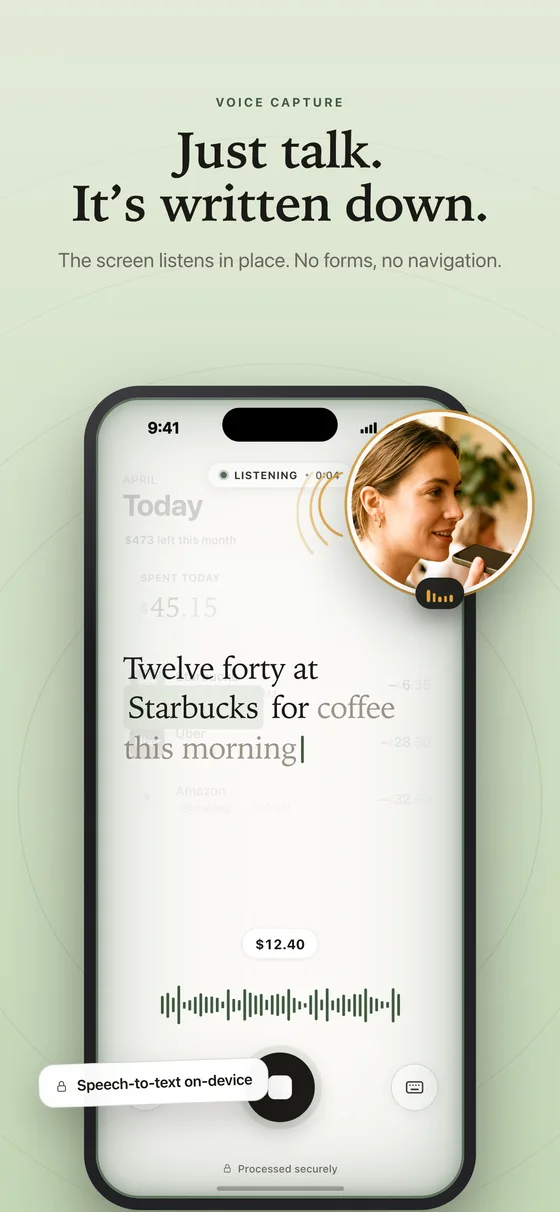
Say it
“Twelve forty at Starbucks for coffee.” No form, no category to pick, no screen to find first. Typing and receipt photos work too.
- 2
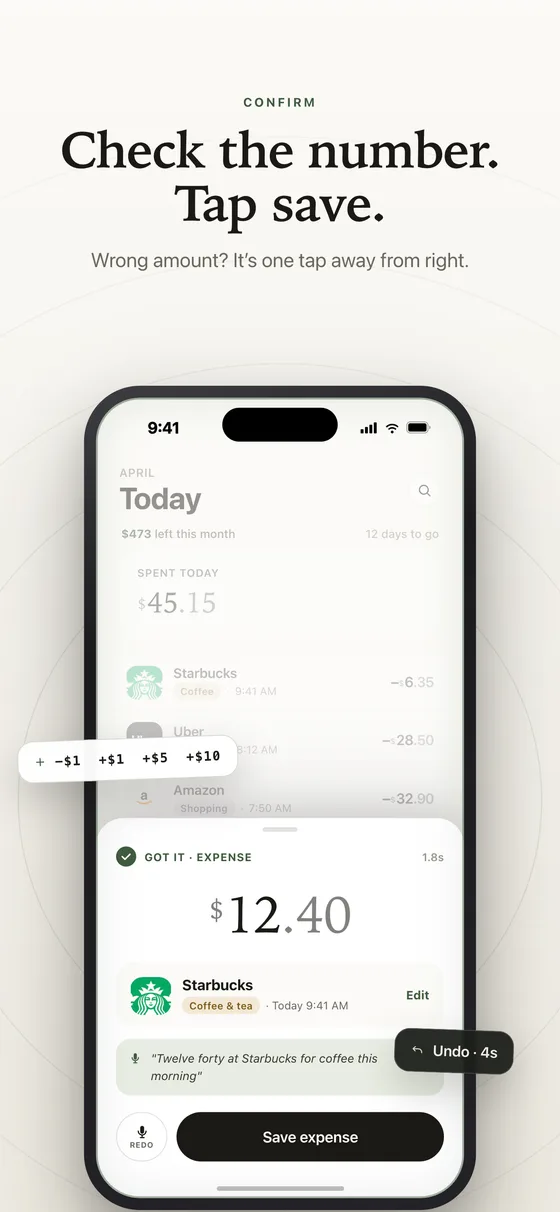
Murmur files it
It hears the amount, the merchant and the category, shows you the card, and saves with an undo. Tap-to-pay purchases skip even this: they file themselves.
- 3
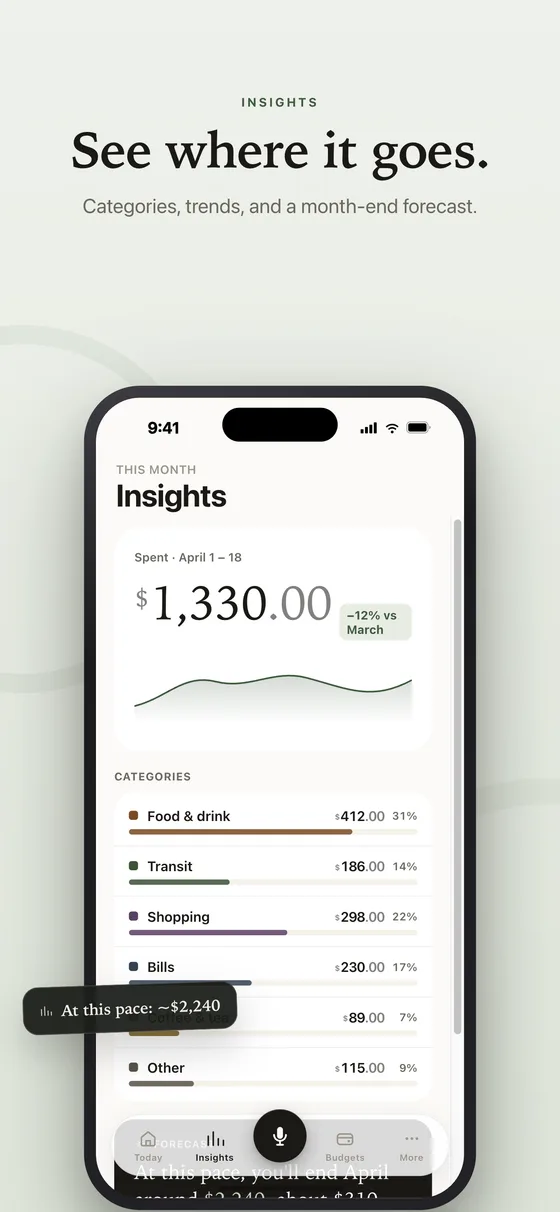
You see where it goes
Today, your budgets, the categories behind them and a month-end forecast, current without a spreadsheet and without a bank login.
Not a mockup.
Your month, as a map.
On the desktop and web dashboard, the month unfolds as a living map: every category branches into the merchants behind it. Pan around, fold what you don’t need, and follow the money to the exact purchase.
Explore it in the dashboard →“Eight dollars at Lay’s.”
That’s the whole workflow. Murmur hears the amount, the merchant and the intent, picks the category, and saves it with an undo. Groceries in the car, rent from the couch.
Pay. That’s it.
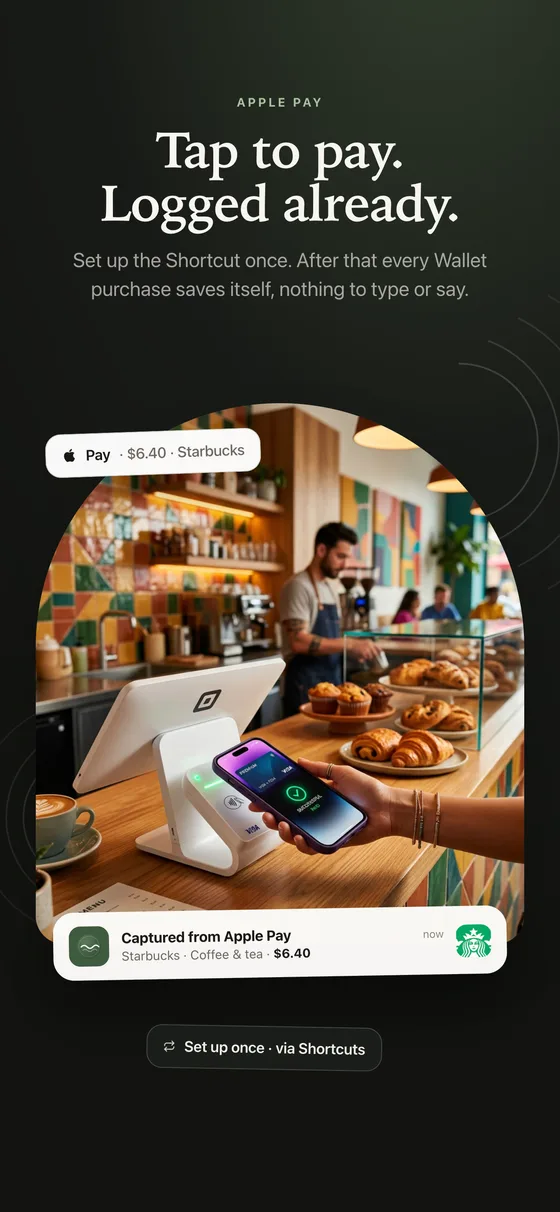
A one-time setup, then every tap-to-pay purchase files itself in the background with a quiet confirmation. Undo or edit from the notification.
 Captured · $4.06 · Food & Dining
See the month coming.
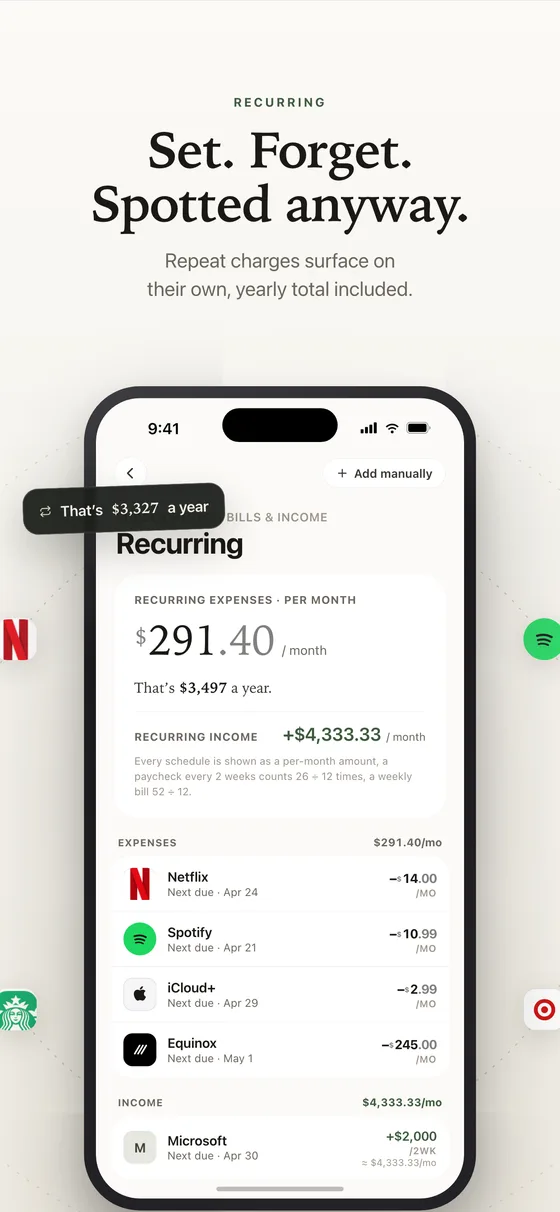
Forecasts, spending patterns and a recurring-bill radar that knows your pay cycle.
Export everything.
CSV for spreadsheets, JSON for backups, a typeset PDF for records and taxes. Or delete it all, permanently, from Settings. No email required, no retention tricks.
No bank linking. Ever.
Murmur never connects to your accounts. Everything in it is something you chose to put there. That is the product.
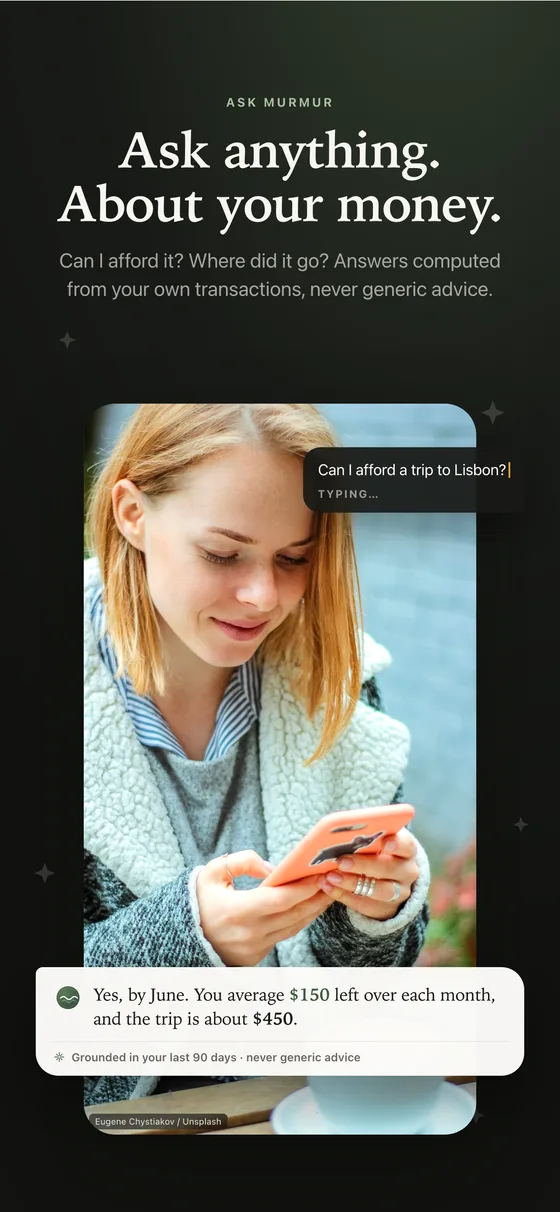
Ask anything about your money.
Answers computed from your own transactions. Not generic advice, and never shared.
The whole picture, one subscription.
Writing it down is free, forever. Understanding it is what Plus adds. Every new account starts with two weeks of Plus, no card and nothing to cancel.
- Unlimited voice, typed and receipt logging
- Apple Pay purchases captured for you
- Budgets, reminders, full history and search
- This month’s insights, by category
- 3 Ask Murmur questions a month
- Export everything, delete everything
- Ask Murmur, unlimited
- The desktop and web app
- Subscriptions and bills found automatically
- Your whole year: trends and forecast
- CSV and PDF reports
- Shared with up to 5 family members
Renews automatically until cancelled in your Apple ID settings. Cancel anytime.
Before you download.
Is Murmur free?
Yes. Logging expenses by voice, by hand or from a receipt is free forever, with no limit and no ads. Every new account also starts with 14 days of Murmur Plus, with no card, and keeps the free app afterwards.
What does Murmur Plus add?
Ask Murmur, the assistant that answers questions about your own numbers; the desktop and web app; automatic detection of recurring bills and subscriptions; your full history with trends and a forecast; and CSV or PDF reports. It is $4.99 a month or $29.99 a year, and it can be shared with up to five family members.
Do I have to connect my bank?
No, and you cannot. Murmur has no bank integration at all. Everything in it is something you said, typed, scanned or captured from Apple Pay on your own phone.
Does it work in my language and currency?
Murmur speaks English, French, Spanish and Portuguese, and picks your language, currency and speech recognition from your phone when you first sign in. Amounts are shown in your own currency, including CFA francs, naira and cedi.
How does Apple Pay capture work?
You set up one Shortcuts automation, which Murmur walks you through. After that, every purchase you make with your iPhone wallet logs itself with the amount, the merchant and a category, and a quiet notification lets you correct it in one tap.
What happens to my voice?
Your speech is turned into text on your phone whenever the device supports it, and the audio is never stored, by us or anyone else. Only the resulting text is used to file the expense.
Can I get my data out, or delete everything?
Any time, yourself, from Settings. Export gives you a complete file of your own data, and deleting your account removes everything from our servers for good. No email to support required.
Does it work offline?
Yes. Expenses are saved on the phone first and sync when you are back online, so a tunnel or a bad signal never costs you an entry.
Say it once. It is filed.
Free forever on iPhone. One account, every screen, and two weeks of Plus the moment you sign in. No card, nothing to cancel.
iPhone
The whole app: voice, Apple Pay capture, budgets, receipts. Free forever.
Download on the App StoreMac
The month as a mind map, reports, and Ask on a big screen.
Windows
The same dashboard, on the machine you actually work on.
Download for WindowsWeb
Nothing to install. Your numbers in any browser, on any machine.
Open the web appLogging is free forever on iPhone. The big screens, unlimited Ask, your full history and automatic subscription detection are Murmur Plus, $4.99 a month or $29.99 a year, shareable with five family members.